
The Ultimate Google Ads Strategy for Dental Implants in 2026
Introduction: Why Standard Google Ads Fail for Dental Implants
Dental implants are not routine teeth cleanings; they are high-ticket, life-changing surgical procedures. When a patient searches for a dental implant, they are usually in pain, self-conscious about their smile, and heavily concerned about the cost and the surgeon’s expertise.
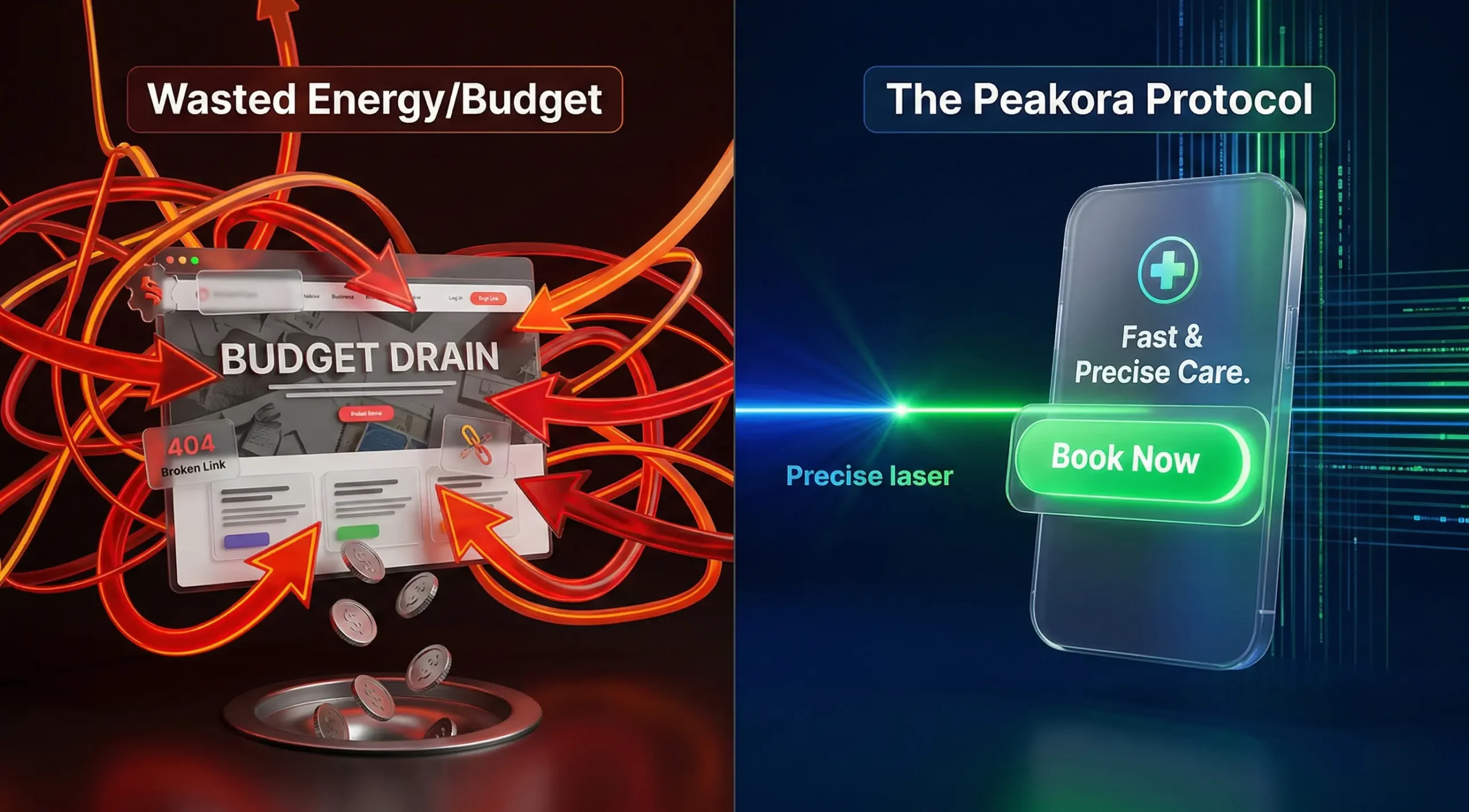
If your clinic is running a generic “Google Ads for Dentists” campaign and sending traffic directly to your website’s homepage, you are actively burning your marketing budget.
Standard campaigns generate “clicks.” A specialized Google ads strategy for dental implants generates “consultations.”
In 2026, the digital landscape for dentistry is highly competitive. Corporate dental chains are driving up the Cost Per Click (CPC). To win, independent dentists and specialized clinics must rely on precision targeting, psychological ad copywriting, and high-converting landing pages.
At Peakora, we have engineered a proprietary Google Ads framework designed specifically to lower your Cost Per Acquisition (CPA) while filling your waiting room with high-intent implant patients. Here is the exact blueprint.
Chapter 1: The Psychology of the Implant Patient Journey
Before you touch the Google Ads dashboard, you must understand the patient. The journey to a $3,000 to $20,000+ (or equivalent local currency) dental procedure does not happen on an impulse.
Patients go through a distinct funnel:
- Awareness/Problem: “My dentures hurt” or “Fix missing teeth.”
- Research: “Are dental implants safe?” or “Dental implants vs. bridges.”
- High-Intent (The Buying Phase): “Best dental implant surgeon near me” or “All-on-4 dental implants cost.”
Your Google Ads budget should be ruthlessly focused on the High-Intent phase. You do not want to pay $10 a click for someone researching “what is an implant.” You want to pay for the person who has their credit card ready and is looking for the right doctor to trust.
Chapter 2: Structuring Your Campaigns (The “Silo” Approach)
A messy Google Ads account is a money pit. You must structure your campaigns into tight, highly relevant “Silos.” Never mix your routine dental keywords (like “root canal”) with your implant keywords.
The 3 Core Implant Campaigns:
1. The “High-Intent Generic” Campaign:
This campaign captures people actively looking for the procedure in your city.
- Ad Group 1: Single Implants (Keywords: single tooth replacement, dental implant near me)
- Ad Group 2: Full Mouth / All-on-4 (Keywords: all on 4 implants, full mouth dental implants)
- Ad Group 3: Implant Cost/Financing (Keywords: dental implant cost, affordable dental implants)
2. The “Competitor Conquesting” Campaign:
If there is a massive corporate dental chain in your city, people will search for them. You can legally bid on their brand name.
- Example Keyword: [Corporate Clinic Name] dental implants
- Strategy: When they search for the corporate chain, your ad appears saying: “Looking for Personalized Care? Talk directly to the Surgeon, not a Sales Rep. Book a Free Implant Consultation.”
3. The “Brand Protection” Campaign:
You must bid on your own clinic’s name and your specific doctors’ names. Why? Because your competitors are definitely bidding on your name. If a patient searches for “Dr. Sharma Dental Clinic,” you must guarantee that your ad is at the absolute #1 spot.

Chapter 3: Keyword Mastery and the Power of “Negatives”
Keyword selection dictates your ad spend. In a Google ads strategy for dental implants, we focus on Exact Match and Phrase Match keywords. We almost never use Broad Match, as it allows Google to waste your budget on irrelevant searches.
The “Golden” High-Intent Keywords:
- “dental implants near me” (Phrase Match)
- [best dental implant surgeon] (Exact Match)
- “all on 4 dental implants” (Phrase Match)
- [dental implant cost in city name] (Exact Match)
- “implant supported dentures” (Phrase Match)
The Ultimate Negative Keyword List (Your Budget Savior):
Adding negative keywords is more important than adding targeting keywords. A negative keyword tells Google: “Never show my ad if the user types this word.” If you do not add these, you will pay for useless clicks. Add these to your Negative List immediately:
- The “Broke” List: free, cheap, charity, low income, government assistance. (You want high-value patients, not bargain hunters).
- The “DIY/Education” List: how to, diy, at home, school, training, course, student, salary, jobs.
- The “Irrelevant” List: pictures, videos, complications, pain, lawsuit.
Chapter 4: Writing Ad Copy That Converts (Trust + Action)
When a patient searches for an implant, they will see 3 to 4 ads stacked on top of each other. Why should they click yours?
Your ad copy must address their three biggest fears: Pain, Cost, and Trust.
Anatomy of a Winning Dental Implant Ad:
- Headline 1 (The Exact Match): Top Dental Implants in [City]
- Headline 2 (The Authority): Award-Winning Implant Surgeon
- Headline 3 (The Offer): Free 3D Scan & Consultation
- Description 1 (Addressing Pain & Trust): Missing teeth? Get a permanent, natural-looking smile with our painless implant procedure. Over 5,000 successful smiles restored.
- Description 2 (Addressing Cost & CTA): 0% EMI Financing available. Don’t hide your smile anymore. Book your free implant consultation today!
Utilizing Ad Extensions (Maximizing Digital Real Estate):
Extensions make your ad physically larger on the screen, pushing competitors down.
- Sitelink Extensions: Link to specific pages like “Meet the Surgeon,” “Before & After Gallery,” and “Patient Reviews.”
- Callout Extensions: Use trust-building phrases like “Painless Procedure,” “US-FDA Approved Implants,” “15+ Years Experience,” “In-House Lab.”
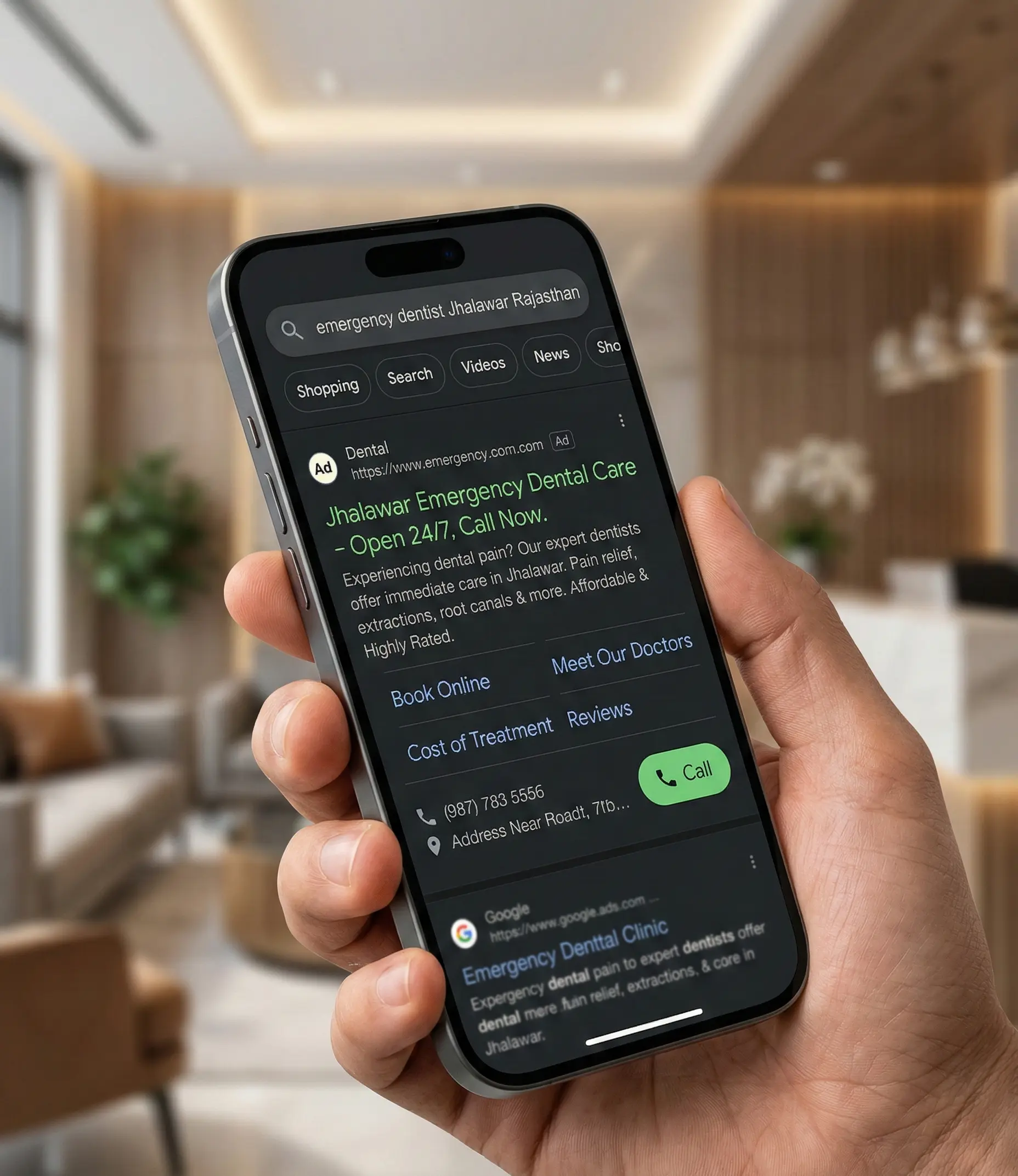
- Call Extensions: Put your clinic’s phone number directly on the ad. Many mobile users will just hit the “Call” button without even visiting your website.

Chapter 5: The Landing Page (Your 24/7 Digital Receptionist)
This is where 90% of dental clinics fail.
Rule #1 of a Google Ads strategy for dental implants: NEVER send ad traffic to your website’s homepage. Your homepage is a maze of links, about us pages, and drop-down menus. When a user clicks an ad for a “Dental Implant,” they must land on a page that talks about nothing else but Dental Implants.
We build dedicated, high-speed, conversion-optimized Landing Pages.
The 6 Elements of a “God Level” Implant Landing Page:
- The Headline Match: The main text on the landing page must exactly match the ad they just clicked. (e.g., “Transform Your Smile with Premium Dental Implants in [City]”).
- The “Hero” Video: Do not use stock photos of fake smiling models. Use a high-quality video of the lead surgeon introducing themselves, explaining the procedure simply, and welcoming the patient. This builds immediate parasocial trust.
- Social Proof (Before & Afters): Show real, relatable cases. Use video testimonials of patients talking about how the procedure changed their life and how painless it was.
- Financial Transparency: You don’t need to list exact prices, but you MUST mention financing. Use badges like “0% Interest EMI Available” or “Flexible Payment Plans.” This lowers the barrier to entry.
- Authority Badges: Display your degrees, awards, and the logos of the implant brands you use (e.g., Nobel Biocare, Straumann, Osstem).
- Frictionless CTA (Call to Action): The goal of the page is singular: Get the patient’s information. Use a sticky header with a “Call Now” button and a short, non-intimidating form (Name, Phone Number, Email) offering a “Free Implant Consultation & 3D CBCT Scan.”
Chapter 6: Advanced Bidding Strategies & Budget Allocation
Google Ads utilizes machine learning. To win, you must feed the algorithm the right data.
Start with Manual CPC, Move to Target CPA
When you launch a new campaign, the algorithm doesn’t know who your ideal patient is.
- Phase 1 (Data Gathering): Start with Maximize Clicks or Manual CPC. Your goal is to get initial traffic, test your landing page, and build a list of converting search terms.
- Phase 2 (Machine Learning Optimization): Once you have at least 15 to 30 conversions (form fills or phone calls) in a 30-day period, switch your bidding strategy to Target CPA (Cost Per Acquisition) or Maximize Conversions. Now, Google’s AI will actively seek out users whose browsing behavior matches those who have previously booked with you.
Geographic Targeting (Drawing the Fence)
Do not target your entire state. Dental implants are a local game.
- Target a 10 to 15-mile radius around your clinic.
- Use Location Bid Adjustments: Increase your bids by 15% for people who are within a 3-mile radius of your clinic, as proximity drastically increases the likelihood of them showing up for the consultation.
Chapter 7: Tracking ROI (Closing the Loop on Clinical Revenue)
If you are only tracking “Clicks” and “Impressions,” you are flying blind. You need to know exactly how much revenue every advertising dollar is generating.
Implement Offline Conversion Tracking (OCT)
Not every form submission turns into a patient. Some might not qualify financially, and some might just be window shopping.
A professional agency like Peakora integrates your Google Ads account directly with your Clinic Management System (CRM). When a lead comes in, it is marked as a “Lead.” But when that patient actually sits in your chair and pays for a $4,000 implant, we feed that specific data point back into Google Ads.
This is called Offline Conversion Tracking. It trains the Google algorithm to stop looking for people who just fill out forms, and start looking for people who actually have the financial capacity to pay for surgeries.
Call Tracking Metrics
Over 60% of high-ticket dental leads will call your clinic instead of filling out a form. You must use a dynamic call-tracking software (like CallRail or a local equivalent). This swaps the phone number on your landing page dynamically based on how the user found you. It allows you to record the calls (to ensure your front desk is handling them properly) and attributes the phone call directly to the specific Google Keyword the patient searched for.

Conclusion: Dominate Your Local Dental Market
Running a successful Google Ads strategy for dental implants is the fastest way to scale your clinic’s revenue. However, it is a highly technical, cut-throat environment.
A single mistake—like forgetting to add negative keywords, sending traffic to a slow homepage, or using broad match keywords—can cost you thousands of dollars in wasted ad spend within days.
You are a highly skilled dental surgeon. Your time should be spent in the operatory changing lives, not fighting with the Google Ads interface or writing ad copy.
To win in 2026, you need a specialized digital growth partner. At Peakora, we don’t just “run ads.” We build end-to-end, proprietary Patient Acquisition Systems. From the exact keywords and the psychological ad copy to the high-converting landing pages and the CRM integrations, we handle the entire digital ecosystem so you can focus on dentistry.
Ready to Fill Your Calendar with High-Value Cases?
Stop relying on word-of-mouth and hope. Take control of your clinic’s growth. Contact Peakora today to discover how our evidence-based marketing protocols can lower your patient acquisition cost and elevate your clinic’s authority in your city.
Schedule Your Free Dental Marketing Audit Today
Stop wasting ad spend on low-quality leads. Let Peakora build a custom Patient Acquisition System for your clinic.
Get Started